
Platform · Develop
DevOps for robots.
Mechanics, electronics and project work live in one place, linked to the robot they run on. No more files scattered across six tools.
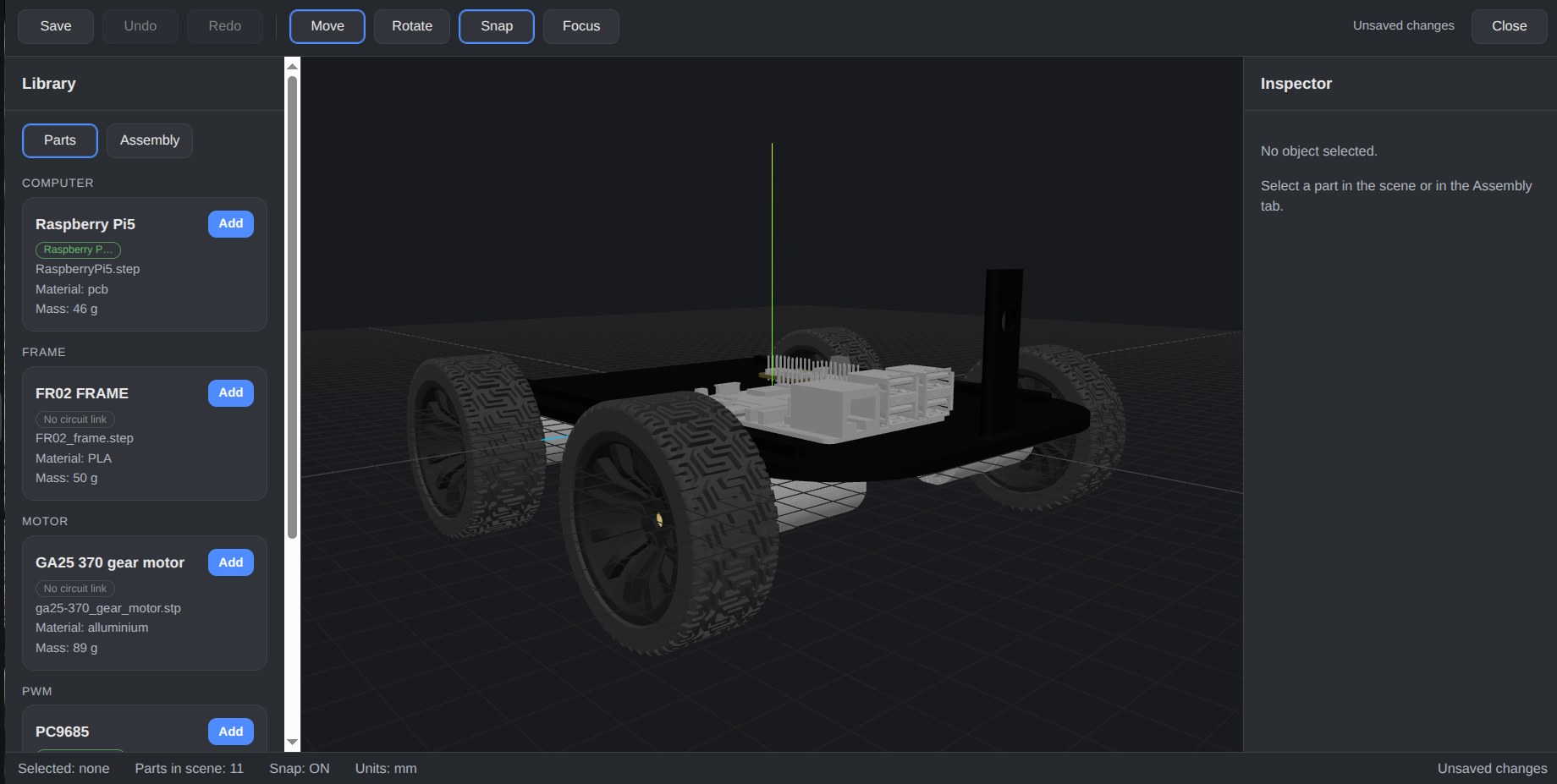
3D robot builder
Assemble the robot from a library of real parts, such as computers, frames, motors and drivers, imported as STEP models with material and mass.
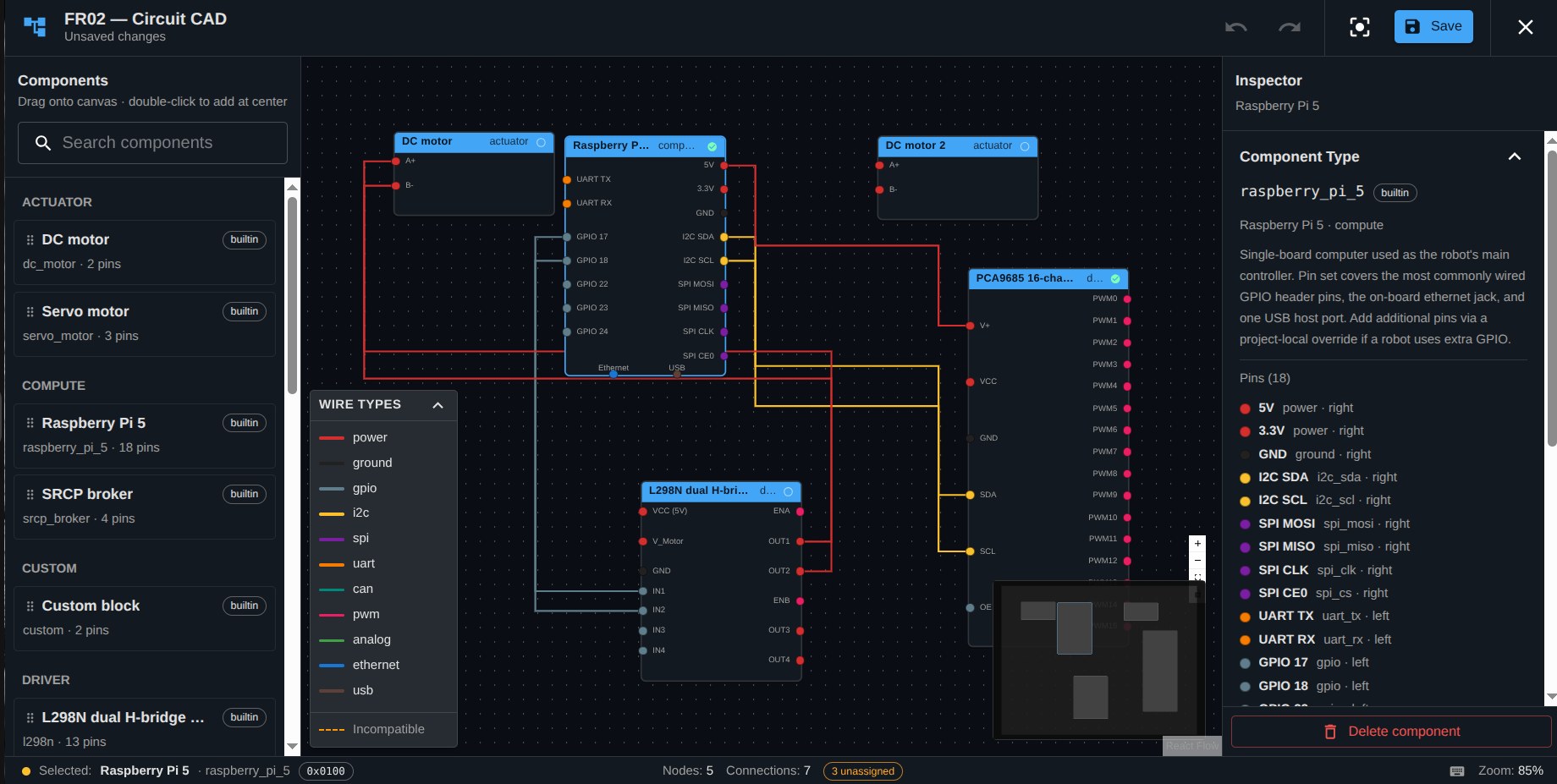
Circuit CAD
Wire computers, drivers and actuators with typed connections (power, I2C, SPI, PWM, UART, CAN, Ethernet, USB) and spot incompatible wiring before you build.
Linked mechanics and electronics
Parts in the 3D model link to their circuit components, so the mechanical and electrical design stay in step.
Projects and issue tracking
Plan work, track issues and follow progress in a project linked to the robot, in the style of modern DevOps platforms.
Design and live diagnostics, side by side
Development views hold the pure design; Monitor views show the same robot live. One project, two clear perspectives.
Teams and roles
Developer, operator and manager roles, team management and fleet views, for companies and classrooms alike.
In the product
Real parts. Real wiring.
From design to deployment
One path, no hand-offs.
Step 1
Design
Build the robot in 3D from real parts.
Step 2
Wire
Draw the electronics and link them to the parts.
Step 3
Build and track
Plan the work and track issues in the robot’s project.
Step 4
Connect
The robot dials out over SRCP and appears in your fleet.
See FRP on your robots.
Tell us about your robots, your classroom or your mission. We will show you the platform end to end.